Manage Budget Goals
What are Budget Goals
Budget Goals allow you to organize categories into custom groupings, separate from their default hierarchy. This helps you measure and compare total expenses in each goal against preset percentages or amounts.
A common example is the 50/30/20 rule, where you allocate:
- 50% to Needs
- 30% to Wants
- 20% to Savings
This system is demonstrated in the sample budgets: Joe uses the 50/30/20 rule, while Susan follows an 80/20 approach.
You can create your own system or choose not to use one at all. For more information about budgeting systems and how to apply them effectively, refer to the articles available on our website.
Adding a Budget Goal
To add a new Budget Goal, click the + Add a new Budget Goal button at the bottom of the list. You can add one goal at a time.
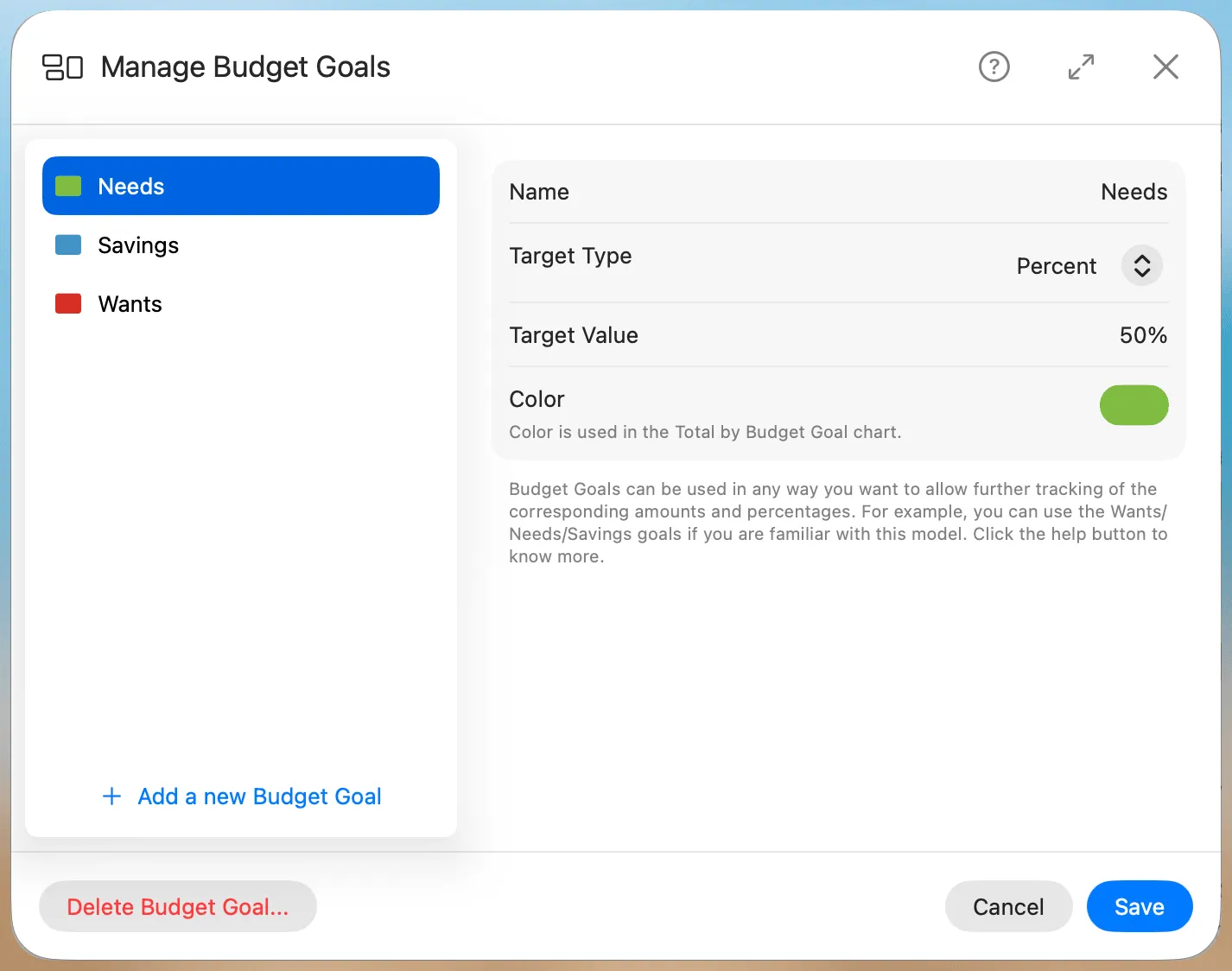
When creating a new Budget Goal:
- Name: Provide a clear and descriptive name.
- Target Type: Select whether this goal is tracked as a percent of your income or as a fixed yearly amount.
- Target Value: Enter how much of your income this goal should represent — a percent or a fixed amount, matching the Target Type. A Budget Goal applies to a whole group of categories; this is different from a single category's Target Percentage, which targets just that one category's share of income.
- Color: Choose a color that works well with your system's appearance—dark or light. These colors will be used in visual charts, such as Totals by Goal, to help identify each goal.
Editing a Budget Goal
To edit an existing Budget Goal, select it from the list first. Then, you can update its name, adjust the target type and value, or change its associated color. Changes will be reflected immediately across budgeting tools and charts.
Deleting a Budget Goal
To delete a Budget Goal, select it from the list and click Delete Budget Goal... in the window’s footer. A confirmation dialog will appear to prevent accidental deletions.
Deleting a Budget Goal does not delete the categories assigned to it. It only removes their goal association. Those categories will have the Budget Goal property set to None and can be reassigned to another goal at any time.